





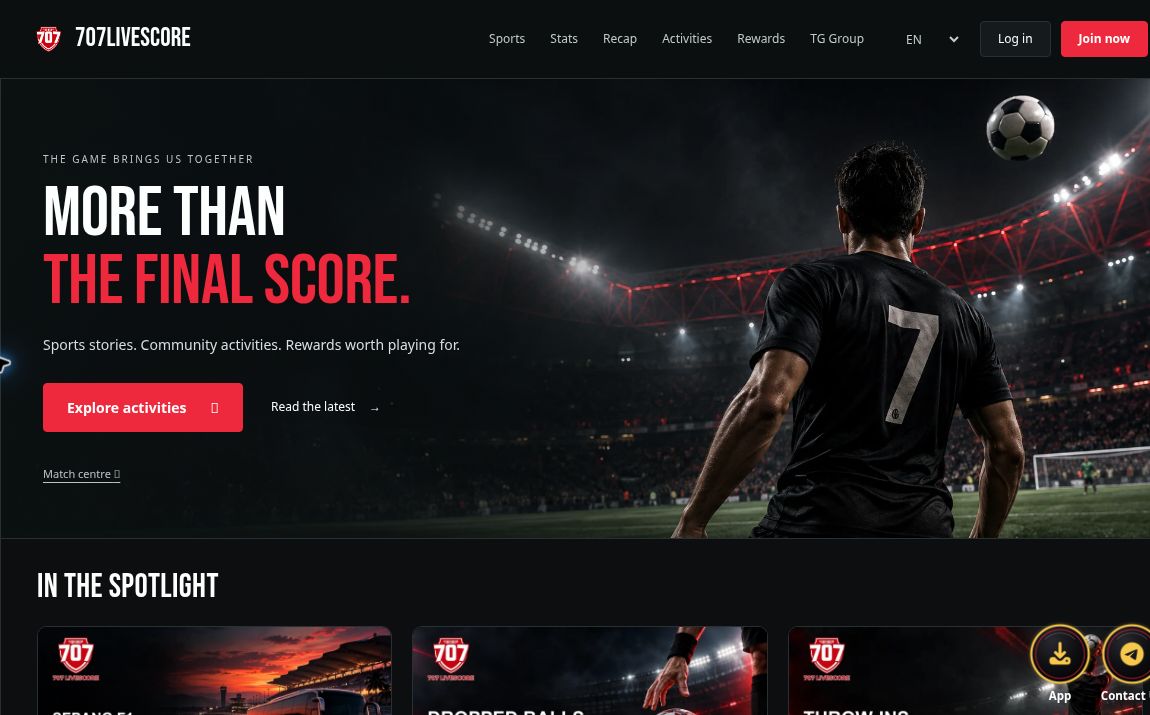
The familiar 707 logo is still here, but the moment you open the site, the scene has changed. Stadium lights, darkened stands, bold red lettering and a number 7 player facing the pitch set the tone for the refreshed 707Livescore homepage. The top navigation, story cards, match data and highlights pages now share a coordinated dark visual style.
This update brings the different parts of 707 into a more connected browsing experience. Looking for a sports story? Start with the homepage spotlight. Checking how a match is unfolding? Head to Stats. Want to revisit the action? Open Recap. New member sign-in options also lay the groundwork for community features to come. Here is a closer look at the refreshed 707, illustrated with screenshots from the site itself.
A homepage that puts you in the matchday mood
A sweeping stadium scene fills the new homepage. Red lighting across the stands echoes the page buttons, while white and red headline text stands out against the darker background. The result draws the eye toward the places you can explore next. On the English homepage, the headline reads “MORE THAN THE FINAL SCORE.” The Simplified Chinese version carries the same message: “不止于最终比分。”
That idea runs through the way the homepage is organised. Scores remain central to following sport, with clear places for the stories around each match, explanations of the rules and post-match highlights. Scroll below the main artwork to reach the spotlight stories, followed by activity previews and other site information. To start reading, use the latest-news button. To check fixtures and scores, follow the Match Centre link beneath the main headline.
Clear routes to stories, stats and highlights
The refreshed top navigation includes Sports, Stats, Recap, Activities, Rewards and the Telegram group. For visitors coming primarily for sports coverage, the first three offer a straightforward everyday route:
- Sports: Jump to the homepage spotlight section for sports articles and match-related stories.
- Stats: Open the dedicated scores and fixtures page to check match listings and their status.
- Recap: Browse highlights cards and find coverage by team, competition and date.
Stats and highlights were already part of 707 before this update. What you can see in the refreshed site is their place within the new navigation and visual style, with page names and title areas that feel consistent with the homepage. Returning visitors can keep using familiar routes, while newcomers have clear labels to help them choose where to go.
Spotlight stories: see the subject before opening the article
The homepage spotlight presents articles as image-led cards. On a wide desktop screen, the cards sit side by side, each with a cover image, publication date, headline and short summary. Together, those details give you a sense of the story before you decide to read further.
Pagination below the cards lets you browse older posts. Explanations of sports rules, match-related reporting and coverage of in-person sporting events each appear as individual articles. With only a few spare minutes, you can scan the summaries and choose between a rules explainer and a match story. When you have longer, keep turning the pages to find another topic that catches your interest.
Start exploring in the 707 spotlight section.
Stats: dates, match status and competitions in one place
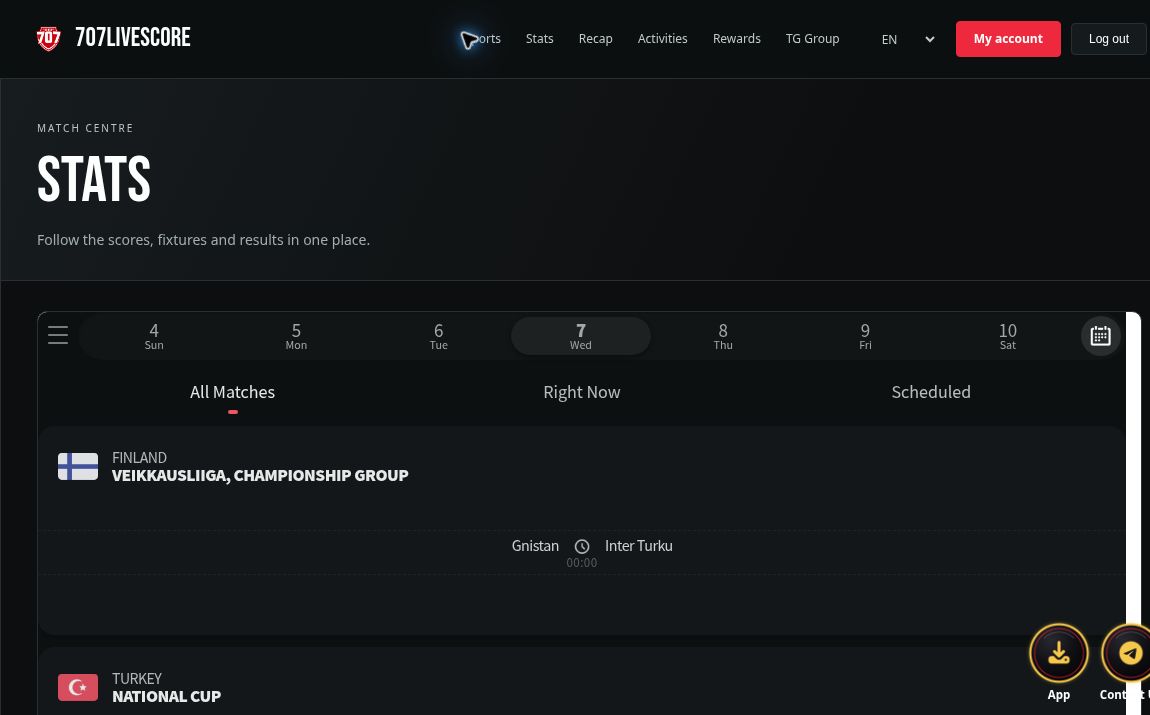
The match data page carries the Stats title and a dedicated match-listing area. Its embedded score widget includes a date selector and options such as “All Matches”, “Right Now” and “Scheduled”, with matches grouped by competition. Team names, scores, kick-off times and match status appear within the same list layout.
That gives you a clear place to check at different stages of a matchday. Before kick-off, look up the fixtures and start times. During play, check the score and current status. Afterwards, find the results marked as finished. The listings can also show statuses such as half-time, extra time or postponed, so the label alongside a score is worth reading too.
The match information in the widget changes over time. The screenshot in this article records what was displayed when it was captured; it is not a substitute for the latest information when you visit. For changes to kick-off times or corrected results, check the current match information and announcements from the relevant competition organisers.
Recap: find the action through match cards
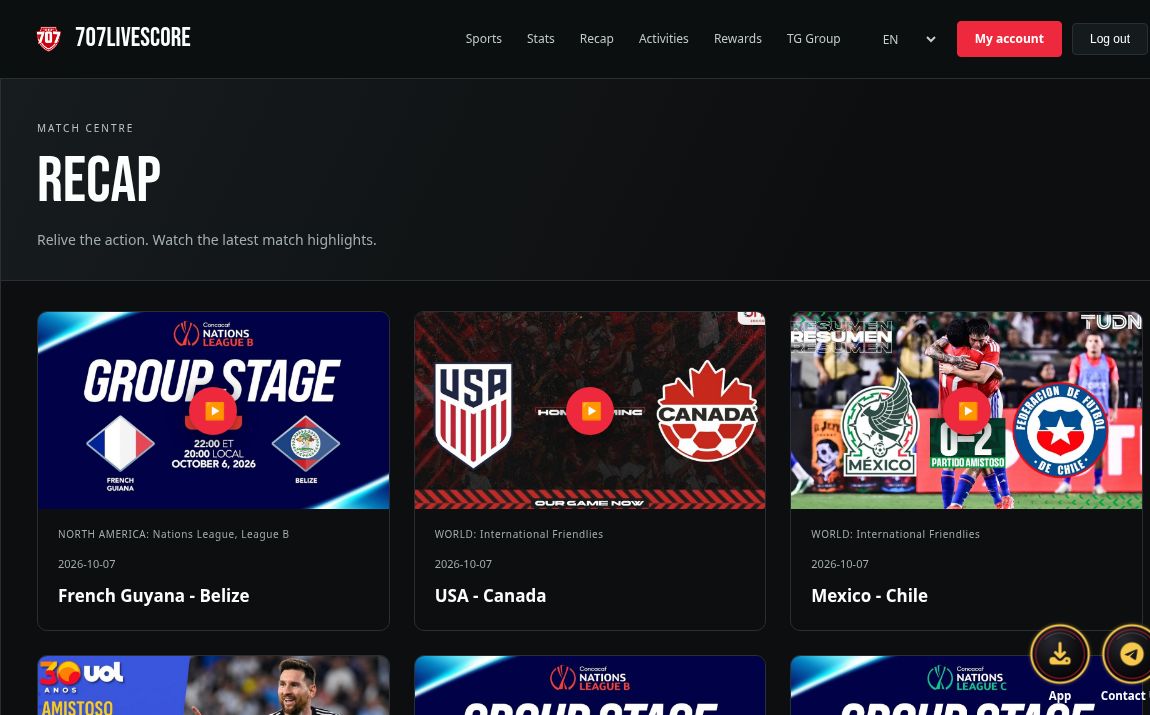
The Recap page continues the dark background and arranges highlights into thumbnail cards. Each card shows the two teams, competition and date, with a play button over the image. Pagination at the bottom lets you continue through more highlights.
After checking the result, Recap gives you somewhere to revisit the action. Use the teams and date to find the match you have in mind, then open the corresponding card. Those details make it easier to identify a match without relying on the thumbnail alone. The page displays the highlights available at that time; playback availability and completeness depend on each item and its source. A highlights listing does not mean a full-match replay is available for every game.
Match Centre links remain part of the site
The refreshed 707 keeps its Match Centre routes in place. The text link in the homepage's main artwork opens the site's match data page, while the Match Centre banner links to the separate 707 match portal. These links lead to different pages, so check the address and page title as you move between them.
For everyday browsing, the 707Livescore homepage works as a starting point: read the stories, then move to Stats or Recap as needed. To visit the separate match portal, use the existing Match Centre link provided on the page.
New member sign-in options: Telegram and Google SSO
This update adds member sign-in through Telegram and Google SSO. Sign-in and join buttons sit beside the homepage navigation. When you are already signed in, the page shows a My Account link and a sign-out button instead.
The member area gives account-related features a consistent place on the page, alongside the separate routes for reading stories, checking match data and watching highlights. When choosing a sign-in method, make sure you are on the official 707 website and the relevant service's official authorisation page, and read the access information carefully. Follow the steps and prompts shown when you sign in for the first time.
Smaller screens: a layout that adapts to the space
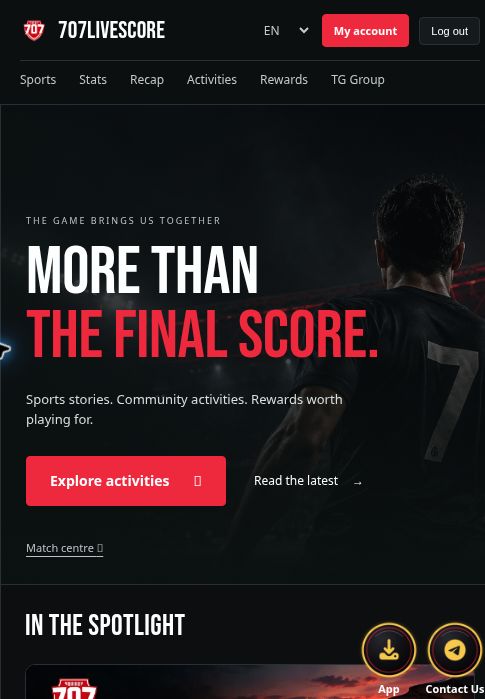
The refreshed page rearranges its content in narrower windows. In the narrow-screen view checked for this article, the 707 logo, language selector and account links sit at the top, with the main navigation moving onto a second row. The headline and stadium artwork adjust to the available width, while story cards become a vertical reading sequence.
This arrangement suits browsing as you scroll. A wide screen lets you scan several sections at once; a narrower view presents the information in stages. The screenshot below was captured from an actual 485-pixel-wide browser viewport to show the responsive layout. The appearance may vary slightly across phones, browsers and text-size settings.
Four language options remain available
The language selector at the top retains EN, 简体, 繁體 and ไทย. On the current homepage, switching languages changes the navigation labels, main headline, relevant buttons, and article headlines and summaries where translations are available.
Readers who prefer Simplified Chinese can begin in its spotlight section, while Traditional Chinese and Thai readers can enter through their respective homepages. Language availability may differ across individual pages, external content and embedded match widgets. The changes described here refer to the site's visible language options and homepage, rather than a promise that every piece of third-party content is translated.
What comes next for members
The member area will continue to develop. The directions described by the 707 team include mini-games, sports prediction interactions, check-ins and prize draws, along with possible activities involving merchandise, branded items or red packets. The current Activities page already displays check-in and Lucky Box interface sections, but the presence of those sections does not mean every feature or activity listed here is open. Whether individual features launch, when they become available, eligible regions and participants, rules and what is offered will be set out in the relevant official announcements.
Build your matchday around the refreshed homepage
The most immediate change is the way the whole site comes together. The red-and-black stadium scene sets the homepage's tone, story cards help you choose what to read, and Stats and Recap continue to serve the moments before, during and after a match. The member links give account-related features a clear home too.
Next time you open 707, start with a spotlight story, check the fixtures, then return to Recap after the action. The refreshed design brings those routes into a more connected experience. Explore the refreshed 707Livescore homepage.